Check out my new spiritual blog:
http://www.foodforthoughts.co.in


Showing posts with label Download Limit. Show all posts

How to reduce your Internet's data transfer

Sometimes, when monitoring your Internet's data transfer, you might notice that you have transferred a lot of data & that your download limit might finish very soon. Thus, you will need to reduce your rate of data transfer. Here are some tips to do so :


Turn off images : 
Images have a much higher size than regular text. Thus, the more the images loaded, the more is the data transferred. Thus, you ahould turn off image loading from your browser's settings.

Turn off other extras : 
Similarly to images, disabling extras like pop-ups, Java, Javascript, etc. too helps in lowering data transfer. Note that some features in some sites may not work with Java / Javascript disabled. So, you can enable them temporarily if the features are important.
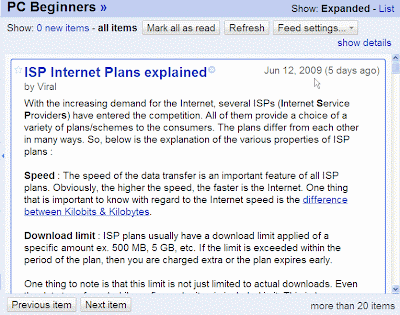
The PC Beginners RSS feed in Google Reader

Take advantage of RSS Feeds : 
The RSS feed of PC Beginners in Google Reader
Many sites (like this one) offer RSS feeds of their content. If the sites that you visit contain RSS feeds, then subscribe to the required feed in a reader & then read the article from the reader. By doing this, only the article will be loaded excluding the other parts of the web-site. This will reduce 
data transfer.

How can one know whether a site contains feeds or not?
Look for the RSS icon RSS logo in the web page. If the page contains RSS feeds, then the RSS logo icon will be usually present in it. You can subscribe to the feed by clicking on the icon.

I will write more points in this article once I find them. 


ISP Internet Plans explained

With the increasing demand for the Internet, several ISPs (Internet Service Providers) have entered the competition. All of them provide a choice of a variety of plans/schemes to the consumers. The plans differ from each other in many ways. So, below is the explanation of the various properties of ISP plans :

Speed : The speed of the data transfer is an important feature of all ISP plans. Obviously, the higher the speed, the faster is the Internet. One thing that is important to know with regard to the Internet speed is the difference between Kilobits & Kilobytes

Download limit : ISP plans usually have a download limit applied of a specific amount ex. 500 MB, 5 GB, etc. If the limit is exceeded within the period of the plan, then you are charged extra or the plan expires early. 

One thing to note is that this limit is not just limited to actual downloads. Even the data transferred while surfing web sites is included in it. This is because, to view a web site, the browser needs to 'download' its images & data temporarily. Similarly, the data transferred in chatting, playing videos, etc. is also included. Thus, it is actually the 'data transfer' limit rather than the 'download' limit.

                 How to reduce data transfer.

Note : These two properties (speed & download limit) are generally available complementarily to each other. For ex. The plan having a higher speed will have a lower download limit & vice versa. So, you will need to make a choice between the two. If you download a lot of data of a big size, then it is advisable to select a plan with a higher download limit. Otherwise, a faster plan would be better.

Night plans : Some ISPs offer night plans. In such plans, you are offered higher speeds & download limits between certain night hours. Ex. 10pm & 8am, etc. Use such plans only if you are absolutely sure to use it in the given time.

That's it! Good luck in selecting an Internet plan perfectly suitable for you.


How to stay safe from your Internet's download limit

The monthly download limit is an important property of ISP plans. Usually, a data transfer (download) limit is applied & if more data is transferred than it, extra proportionate charges are charged. But, manually keeping a check on the amount of data transferred is a tedious task. So, given below is information on tools that will help you to analyze your data transfer easily & effectively  :

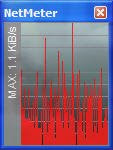
NetMeter monitor
NetMeter : This is one of the best tools available for monitoring data transfer. It carries out its task very effectively. It runs in the
background & monitors the data download & upload. Then, you can easily view the amount of data transferred & other such information from the Reports & Totals option (contained in the the right-click context menu of NetMeter's monitor or its taskbar icon). You can also view the daily, weekly & monthly reports from this option.

NetMeter Analysis
NetMeter --> Totals & Reports option

Should I set NetMeter to run on Start-up?
Yes, if you use an Internet connection that is always on, ie., which does not require you to start an extra application like a dialer. However, if you have a connection that starts with a dialer, you can disable this option & then start NetMeter everytime you connect to the Internet. If you forget things often, then it's recommended to let it run automatically on Start-up.


I will post about more such powerful, free tools for monitoring data transfer once I find them.


Hello! Welcome to PC Beginners. Here, some useful tips for your PC will be given. This blog is meant for everyone, but it is mainly for those people who have little experience with computers. I am sure that your stay on this site will be a pleasant one!


HomeMobile version | RSS
Contact Me | Terms of Use |  Privacy Policy
Do more with Windows / Internet / Information


Blogger logo Firefox 3 CCleaner - Freeware Windows Optimization Anti Spam